
The Workshop
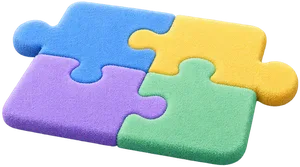
Every skill your child teaches becomes a puzzle piece. In the Workshop the pieces fit together to build something.
How it works
Teach, then build.
The Workshop is the companion's home screen. It shows what the companion can learn next, what your child was teaching last, and what the companion has already learned.
 Each piece is one ability, like "can find what went wrong".
 Only pieces your child earned fit on the board.
 "Build with Pip" opens with Choose an artifact, Start with a blank board, and My artifacts.
 120
120
 4
4What will you teach Pip today?
Teach Pip something new
Add a new building block.
 Find what went wrongTeach
 Change one thing at a timeTeach

The board.
Your child puts earned pieces on the board. They fit together in any order. When the pieces make something, the app says what your child can build.
Built things can be saved, played again, edited and copied from My artifacts.
1204You can build this


Robot Repair Bench.
The first thing to build today. Dash is a pretend delivery robot that learned to find a door from example cards. Something is off.
 Your child looks closely at the examples.
 They change one thing, then test it.
- They check the fix on doors Dash has not seen.
It uses these pieces: Find what went wrong, Change one thing at a time, Learn from a failed test and Check the fix worked. Your child decides how much the companion leads: it suggests, it helps when asked, or your child leads.
The app also previews other artifacts. They are marked as not ready, with the pieces they will need.
The Room.
A room for the companion that your child decorates. The things they make show up there: Games, Stories and Badges.
The Shop
"Spend your coins on things for your room." Coins only, never money.

Decorate
Pick a spot in the room, then pick something for it. A preview shows before anything is kept.
1204





Made by you
Your first creation will appear here

See how you teach your companion.
It starts with a companion that wants to learn.
 Not available yetComing soon on the App Store